Why teams leave AWS, DigitalOcean, Hetzner and Vultr
Search traffic for an AWS alternative with no KYC is dominated by people who already have something in production. That matters, because it changes the question from which cloud is cheapest to what breaks if I move. Three triggers account for most of it. The first is an identity demand that arrives after the fact — an account that has been billing happily for a year is suddenly limited until a document is uploaded. The second is the invoice: compute was forecast, egress was not. The third is quieter and usually arrives last — the realisation that a corporate cloud account is a durable, subpoena-shaped record of who runs what.
The four names in the heading are not equivalent. AWS, DigitalOcean and Vultr are US companies with US corporate structures; Hetzner is German and priced aggressively enough that people tolerate its paperwork. What they share is not a specific policy but a capability: each holds a verified payment instrument and reserves the right to ask for more, at its discretion, on an account you have already built on. The alternative is not a friendlier policy — it is a provider that never collects the material in the first place, which is the whole of our no-KYC position.
SP·02What each hyperscaler verifies before you can boot an instance
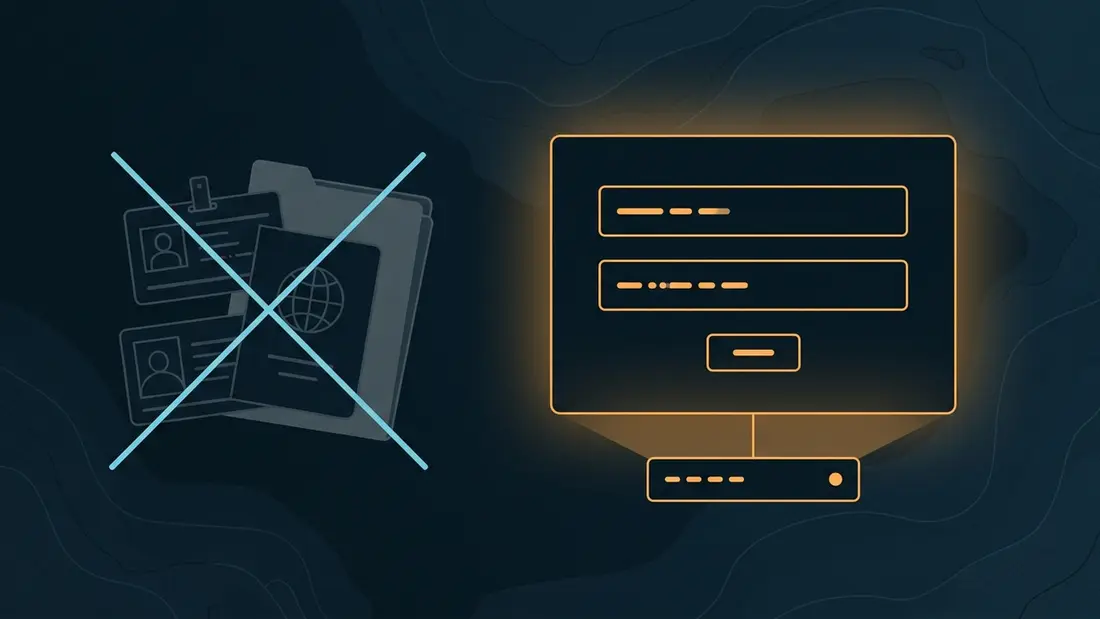
It helps to separate the verification surface into layers, because no ID required is usually true and usually irrelevant. Layer one is the email address and, increasingly, a phone number that must accept an SMS — already two identifiers most people reuse everywhere. Layer two is the payment card, and this is the layer that does the real work: the card was issued by a bank that performed a full identity check, so the provider inherits a verified legal identity without ever asking you for a document. Layer three, invoked selectively, is the document request — ID, a selfie, a bank statement — usually triggered by a risk score you never see.
This is why paying an American cloud with a privacy coin bought on a card-linked exchange changes almost nothing: the identity was established at layer two before any crypto entered the picture. Removing KYC from hosting means removing the credit relationship that requires it, not swapping the payment rail bolted on top of it. The guide to a VPS without ID verification covers the account side in detail, and paying for hosting anonymously covers the funding side, including the links in the chain that betray people. The glossary defines the terms used across this site.
SP·03Postpaid cards versus a prepaid crypto balance
The structural difference between the two models is credit. A hyperscaler lets you consume first and bills afterwards, which makes you a debtor for a month at a time — and nobody extends credit to an anonymous counterparty. Identity verification is not a bolt-on to postpaid billing; it is what makes postpaid billing possible. Reverse the direction and the requirement evaporates. A prepaid balance carries no credit risk, so there is nothing to underwrite and no reason to know who you are. That is the actual mechanism behind a cloud server without identity verification, and it is worth understanding before it starts to sound like marketing.
In practice: an account is a handle and a password, with eight recovery codes issued at registration and no email anywhere in the loop. You top up between $30.00 and $5,000.00 at a time, in any of 8 coins and network variants across 7 currencies, with Monero and Bitcoin listed first. Deploys and renewals then debit that balance internally — no invoice, no confirmation wait, a VPS online in about 15 min. Unused balance is refundable in crypto within 30 days of the top-up that funded it, minus network fees. The full mechanics, including the bonus ladder on larger top-ups, are in prepaid balance billing, explained; the Monero walkthrough shows one top-up end to end.
SP·04Egress, bandwidth and the bill nobody forecasts
Metered egress is the line item that most often triggers the search that brought you here. Compute is easy to model — instance hours times a rate — while egress is a function of how popular your thing turns out to be, which is precisely the number you cannot forecast. Around it sit the accessory meters: inter-zone transfer, load-balancer capacity units, gateway hours, and per-gigabyte charges for pulling your own backups back out. A month of unexpected success arrives as a bill rather than a bottleneck, and the architecture ends up shaped by the price sheet.
Our answer is a flat one. Every VPS plan ships an unmetered port — 1 Gbps across the range, 2 Gbps on the largest — and the monthly price is the whole price. There is no transfer allowance to blow through and no per-gigabyte charge on the way out, which is why media, backup targets, mirrors and VPN exits tend to move first. The 1.5 Tbps L3/4 mitigation is standard rather than a metered add-on. Unmetered is not unpoliced, and pretending otherwise would be dishonest: the acceptable-use policy still applies, and spam, malware command-and-control and CSAM are removed on sight.
SP·05Jurisdiction: who can reach your data once you leave the US clouds
Leaving a US cloud changes which legal system your infrastructure answers to, and that is usually a larger effect than the price. A US-incorporated provider is reachable by US process regardless of which flag flies over the datacentre, because the corporate parent is the point of leverage, not the rack. Choosing a host outside that structure moves the question to a different set of courts, with different standards for what an order must contain before anyone acts on it. That is a real change, not an escape hatch: someone always has jurisdiction, and you are choosing whose.
There are 6 regions to choose between. Bucharest and Amsterdam bill at base rate and carry the strongest European connectivity; Zurich, Reykjavik, Kuala Lumpur and Panama City each apply a regional modifier shown live in the configurator, each buying a different thing — statutory data protection, a press-freedom framework, Asia-Pacific latency outside the Five Eyes, or no data-retention statute. The trade-offs are worked region by region in which offshore location should you pick? and legally in offshore hosting jurisdictions compared. Our own position does not move: DMCA notices are not processed or answered — the DMCA is a US statute with no force in our jurisdictions, and we act only on a binding order from a court with jurisdiction over the specific server. What that phrase does and does not cover is unpacked in what 'DMCA-ignored hosting' really means.
SP·06Mapping an AWS or DigitalOcean instance to a no-KYC plan
Most migrations are smaller than they feel. A general-purpose instance is a vCPU count, a memory figure and a disk, and the no-KYC VPS ladder runs Drift, Shelf, Slope, Abyss and Hadal from $8.00/mo — exact specifications live on the plans page rather than here, where they would drift out of date. Two habits are worth breaking during the move. The first is sizing from the instance type instead of from measurement: dedicated vCPU on EPYC with NVMe behaves differently from a burstable instance that has been quietly throttling for months, and the honest replacement is often one rung lower than the old label suggests.
The second is treating storage as infinite. Block storage you attach by the terabyte on demand becomes a fixed NVMe figure per plan, so a workload that has been allowed to sprawl needs a real number before it moves. Above the VPS ladder, dedicated hardware starts at $66.00/mo and is where anything running on a large metal-class instance belongs; it is available in Bucharest, Amsterdam and Zurich, and provisioning takes 2–12 h rather than minutes.
SP·07What you genuinely give up when you drop a hyperscaler
This is the section most migration guides omit. You are trading a managed platform for root on a server, and the difference is real work. There is no object-storage service, no managed relational database, no serverless runtime, no managed Kubernetes control plane, no identity-and-access system with per-role policies, and no autoscaling group that quietly adds instances at three in the morning because a queue got deep. Everything you were renting as a service becomes something you install, monitor, patch and back up yourself. There are 6 regions rather than dozens, so a genuinely global edge footprint is not on the menu. Billing is monthly and prepaid rather than per-second, which suits steady workloads and punishes spiky ones.
There is also a compliance ceiling, and it deserves to be stated flatly: if a customer's auditor needs a named vendor, a signed data-processing agreement and an attestation report, a host that deliberately holds no identity documents will not satisfy that questionnaire — this one included. That is not a gap we intend to close: it is a direct consequence of the model, not an oversight. Judge the trade against your own threat model rather than against ours. The comparison table puts us beside ten other privacy hosts on the same criteria, and the FAQ answers the operational questions this guide keeps deliberately short.
SP·08Which workloads move cleanly, and which should stay
The clean movers are the ones that were only ever using a hyperscaler as a Linux box with a good network. VPN exits and personal tunnels — see rolling your own WireGuard — along with Tor relays, self-hosted mail, static sites and CMS installs, application and game backends, CI runners, scrapers, mirrors and anything egress-heavy. None of these carry a managed-service dependency, and the flat unmetered port usually makes them cheaper and simpler at the same time.
The ones that should stay put are just as identifiable. Anything welded to a proprietary managed service is a rewrite rather than a migration, and a rewrite disguised as a move is how migrations fail. Anything genuinely elastic — traffic that swings by an order of magnitude on a schedule — is exactly what per-second billing and autoscaling groups are good at. Anything under a compliance regime that names its vendors stays where the paperwork already is. A split estate is a legitimate outcome, not an admission of defeat: move the offshore VPS workloads that benefit, and leave the rest exactly where they are.
SP·09Step by step
-
01
Inventory what the hyperscaler is really doing for you
Before pricing anything, list every service in the account, not just the instances. Managed databases, object-storage buckets, queues, certificates, DNS zones, scheduled jobs and IAM roles are the migration; the compute is the easy part. Anything on that list without a self-hosted replacement is a decision to make, not a task to schedule.
-
02
Open an account and fund a prepaid balance
Registration is a handle and a password — no email, no phone, no card. Store the eight recovery codes offline before you go any further: lose the password and all eight codes and the account is unrecoverable, because there is no email reset path to fall back on. Then top up from $30.00 in the coin of your choice.
-
03
Size the replacement and pick the region
Take the CPU and memory figures you measured, not the ones you provisioned, and pick a rung on the ladder. Choose the region for its legal profile first and its latency second, then read the regional modifier in the configurator before committing. A VPS is online in about 15 min; dedicated hardware takes 2–12 h.
-
04
Rebuild the managed pieces before you move any data
Stand up the replacements and prove they work while the old stack is still serving traffic: PostgreSQL or MariaDB in place of the managed database, an object-storage server or plain disk in place of the bucket, a reverse proxy in place of the managed load balancer, and your own certificate automation. Harden the box as you go — key-only SSH, a default-deny firewall, unattended security updates.
apt update && apt full-upgrade -y
apt install -y ufw fail2ban unattended-upgrades
ufw allow OpenSSH
ufw enable
-
05
Sync the data, then sync it again
Do a first bulk copy while the old service is live, then a short second pass at cutover to catch the delta. Databases move with a dump and a restore, or with replication if the downtime budget is tight. Rehearse the restore on the new box before you trust it — an untested backup is not a backup.
rsync -aHAX --numeric-ids --info=progress2 /srv/ root@newhost:/srv/
pg_dump -Fc appdb | ssh root@newhost 'pg_restore -d appdb'
-
06
Lower the DNS TTL, then cut over
Drop the TTL on every record you intend to move to 300 seconds at least a day ahead, so the old value has expired from caches everywhere before you switch. Change the records, watch both servers' logs until the old one goes quiet, then raise the TTL again.
dig +noall +answer example.com A
dig +noall +answer +trace example.com A
-
07
Decommission deliberately, not immediately
Give the migration a full billing cycle before deleting anything — the old instance is your rollback, and it costs one more month at most. When you are confident, export whatever you are required to keep, delete the data, remove the payment method, then close the account, in that order. Closing an account does not erase the record that it existed, which is the argument for not opening the next one.