The rule you wrote, and the rule Docker wrote
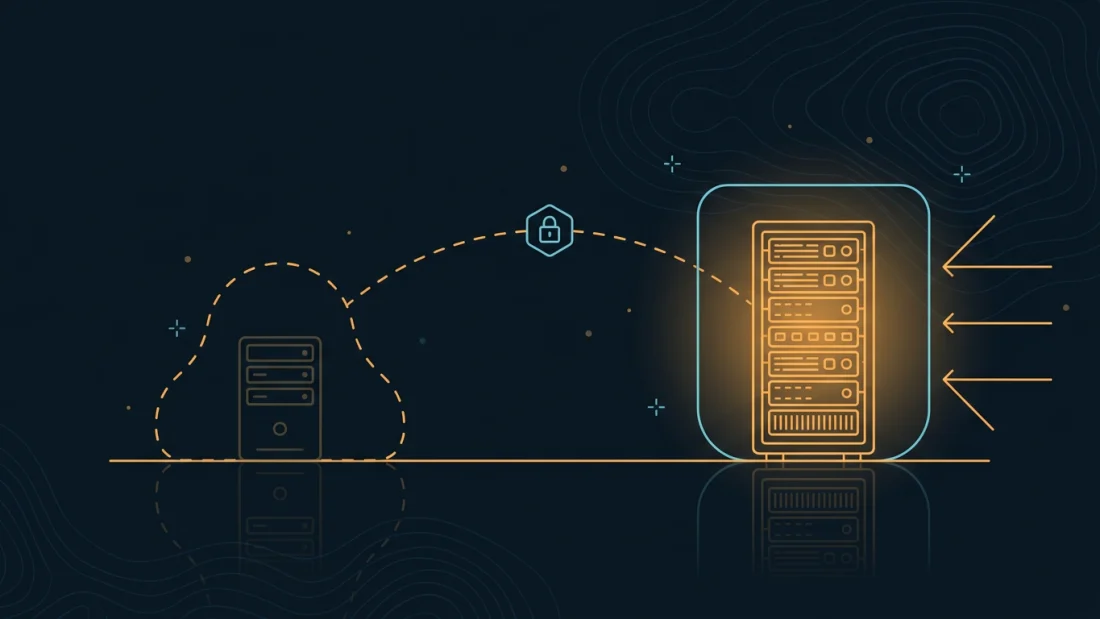
Two programs are editing the same firewall with different assumptions, and only one of them tells you about it. ufw writes its rules into the filter table's INPUT chain — the path a packet takes when it is destined for the host itself. Docker writes into the nat table and into FORWARD — the path a packet takes when it is destined for somewhere else.
Follow a single packet and the gap becomes obvious. Somebody in another country opens a connection to your address on port 5432. It arrives, and the first thing it meets is nat PREROUTING, which sends it to Docker's DOCKER chain. There a DNAT rule rewrites the destination to 172.17.0.2:5432 — the container. The packet is no longer addressed to your server, so the kernel routes it rather than delivering it locally: it goes through FORWARD, where Docker has already installed an ACCEPT for traffic heading to a published port. At no point in that journey does the packet pass through INPUT, which is the only chain ufw is filtering. Your rule was never wrong. It was never consulted.
This is also why the symptom is so disorienting. ufw status verbose keeps reporting Default: deny (incoming), with nothing allowed but 80, 443 and your SSH port, while a scanner on another continent is holding an open session to your database. Both statements are true. The firewall is doing exactly what you configured, on the traffic it was given, and the traffic that matters is not being given to it.
None of this is a bug, and none of it is Docker being careless. A container engine has to program NAT and forwarding rules or containers cannot reach the network at all, and it cannot safely guess which of your host firewall's rules were meant to apply to them. So it does the honest thing: it manages its own chains, and it hands you a dedicated chain — DOCKER-USER, evaluated before everything else in FORWARD — that it promises never to overwrite. The gap is not the existence of the mechanism. The gap is that -p 5432:5432 reads like "make this available" and means "publish this to every address this machine answers on, past the firewall you spent an hour writing".
What an exposed port looks like from the outside
The internet notices faster than people expect. Hosting prefixes are scanned continuously and exhaustively — not by someone who has taken an interest in you, but by commercial crawlers, research projects and opportunistic botnets that sweep every routable address on every interesting port and publish or sell the results. The interval between docker compose up -d and the first unsolicited connection to a freshly published database port is measured in hours. Nobody had to guess your hostname. Nobody had to know your name. The address was in range.
What they find depends entirely on what you published, and the common cases are bleak. A PostgreSQL or MySQL container started from an image's quick-start snippet, with the trivial password from that snippet still in place. An Elasticsearch or MongoDB instance that was never configured to want authentication, because it was only ever going to be reachable from the application container. A memcached that answers anyone — which is not only a data leak but an amplifier that can be pointed at somebody else, turning your server into a participant in the kind of flood described in our DDoS first-hour runbook. An admin panel or message queue dashboard that assumed a private network. A metrics endpoint quietly listing every internal service, hostname and version you run.
It is worth naming the second-order damage, because the first-order damage is not the whole bill. A database reachable from the internet is not merely readable — in most engines it is also writable, which means the intruder does not need a further exploit to install persistence, and several engines can be coaxed into writing files or executing commands on the host from a privileged session. On a box you chose precisely because it carries no identity, an unauthenticated foothold is also a link back to everything else that box touches: the backup target it can reach, the keys in its environment variables, the other containers on its bridge.
The uncomfortable part is that none of this announces itself. There is no log line that says "your firewall was bypassed". The service works, the application connects, the site is up, and the only external signal is a connection count nobody is watching. The exposure is discovered either by you, deliberately, in the next ten minutes — or by someone else, on their schedule.
SP·03Read what you are actually publishing
Start with what the engine thinks it is doing. docker ps prints a PORTS column, and the distinction in it is the whole subject of this guide: 0.0.0.0:5432->5432/tcp means every address on the machine, 127.0.0.1:5432->5432/tcp means loopback only, and a bare 5432/tcp with no arrow means the port is exposed to other containers and published nowhere. Read every line of that column on every container before you change anything.
Then look at the sockets with ss -tulpen. On a default installation you will see docker-proxy holding the published ports, because Docker still starts a small userland process per published port. Here is the trap that costs people an afternoon: if userland-proxy is disabled on your daemon — it is a common tuning change, and some distributions ship it that way — there is no listening socket on the host at all. ss shows nothing, lsof shows nothing, and the port is still wide open, because the kernel's DNAT rule is doing the work without any process needing to hold the address. A quiet ss output is not evidence of a closed port.
So read the rules themselves. iptables -t nat -S DOCKER lists one DNAT line per published port, and each line carries the answer you want: a rule with -d 127.0.0.1/32 is a loopback publish, and a rule with no destination constraint applies to every address the machine holds. Do the same with ip6tables, because the two families are configured independently and a box can be tight on one and open on the other.
Finally — and this is the only step that actually proves anything — look at the machine from somewhere else. Every command above runs on the host and inherits the host's own view of its network. Loopback traffic skips the chains that matter, so curl 127.0.0.1:5432 succeeding tells you nothing about whether a stranger can do the same, and it failing tells you even less. The authoritative test is a scan from a different machine on a different network, on both IP families. Everything before it is a hypothesis.
Loopback binding, and the difference between ports and expose
The smallest useful fix is eleven characters. -p 127.0.0.1:5432:5432 tells Docker to write its DNAT rule with a destination constraint, so the rewrite only ever applies to traffic that was already local. A remote packet aimed at your public address no longer matches, is not forwarded to the container, and finally arrives where you always assumed it would: INPUT, where ufw denies it. In a Compose file the same thing is ports: ["127.0.0.1:5432:5432"], and the quotes matter — an unquoted value with colons is a parsing accident waiting to happen.
But the better question is why the port is published at all. Containers attached to the same user-defined network reach each other directly, by service name, on the container's own port, with no publishing of any kind. Your application does not connect to 127.0.0.1:5432; it connects to postgres:5432, resolved by Docker's embedded DNS to an address on the private bridge. A database in that arrangement needs no ports: line — not a loopback one, not any. The most secure published port is the one you deleted. Keep ports: for the one or two services that genuinely face the public, and let everything else talk on the private network.
This is also where expose: gets misread. It publishes nothing and opens nothing; it is documentation that records which port a service listens on, and it has no effect on the firewall in either direction. People add it hoping it is the safe version of ports:, which it is — in the same sense that a comment is the safe version of code. If you want a service reachable only by its neighbours, you do not need expose:; you need the absence of ports:.
Two honest limits on loopback binding. First, it protects the host boundary, not the neighbourhood: containers on the same bridge network can still reach each other freely, so a compromised front-end container has a clear path to a database that publishes nothing. Split services onto separate networks and mark the back-end one internal: true when the blast radius matters. Second, 127.0.0.1 is an IPv4 address and constrains only IPv4; if the host has a routable /64 — every plan here ships one — reason about v6 separately, and test it separately.
DOCKER-USER: the chain that exists for exactly this
Loopback binding fixes the containers you remember. DOCKER-USER is how you stop being one -p away from the next incident. Docker installs it as the first jump in FORWARD, ahead of its own accept rules, and — unlike everything else in its chains — leaves the contents alone across restarts, upgrades and new containers. It is the supported place for the policy the engine cannot infer: which sources are allowed to reach containers on this host at all.
The pattern is three rules on the public interface, and the order is the whole thing. First, return established and related traffic, so replies to connections your containers opened keep flowing. Second, return the sources you genuinely want to let in — an office address, a monitoring host, a peer server. Third, drop everything else arriving from the internet. Getting the conntrack rule wrong is the classic failure here: put the DROP first and every outbound connection from every container dies on the return packet, which presents as "Docker broke DNS and package installs" and sends people looking in entirely the wrong place.
Two operational details decide whether this survives contact with reality. It must be scoped to the public interface by name — -i eth0, or whatever ip route get 1.1.1.1 reports on your box — or you will also be dropping traffic between your own bridges. And it must be reapplied after every reboot, after the Docker daemon has created the chain. A oneshot systemd unit ordered After=docker.service is the dependable form; saving with netfilter-persistent also works, as long as you accept that restoring a whole ruleset that Docker is simultaneously rebuilding is a race you should verify rather than assume.
Then the IPv6 half. If ip6tables -S DOCKER-USER prints a chain, mirror every rule into it. If it errors, your daemon is not managing v6 rules at all — which tells you nothing about whether v6 traffic reaches your containers, only that Docker is not filtering it. Do not reason your way to an answer there; the paths differ by version, by daemon settings and by distribution, and a confident wrong conclusion is worse than no conclusion. Scan yourself with nmap -6 and believe the result.
One thing not to do: reaching for "iptables": false in /etc/docker/daemon.json. It stops Docker touching the firewall, and it also stops container NAT, outbound masquerading and inter-network isolation from being configured by anything. You have not removed the problem, you have inherited the job — by hand, for every container, forever. On a single VPS the honest choice is to let Docker manage its chains and to own DOCKER-USER.
The other door: the socket, and what runs as root
Everything above is about packets arriving. This section is about what they find, and there is one item so much worse than the rest that it deserves to be stated on its own: mounting /var/run/docker.sock into a container is equivalent to giving that container root on the host. Not "close to". Equivalent. Anything that can speak to that socket can start a new privileged container with the host's filesystem mounted inside it, and from there read every key, write every file and install anything it wants. Plenty of convenient images ask for it — dashboards, auto-updaters, reverse proxies with service discovery. Treat that request as a decision to trust the image as much as you trust your own root shell, and take the same care with the Docker API over TCP: an unauthenticated daemon on port 2375 is the same door, opened to the whole internet.
Past that, the container runtime gives you four cheap reductions, and none of them require rearchitecting anything. Run as a non-root user with user: "1000:1000", because the default is root inside the namespace and that is the starting point for every escape. Set security_opt: ["no-new-privileges:true"], which stops a setuid binary inside the image from ever gaining more than the process started with. Drop all capabilities with cap_drop: [ALL] and add back only what the service provably needs — most web applications need none. Mount the root filesystem read_only: true and give it a small tmpfs for scratch, which turns "drop a web shell in the app directory" from a step into a dead end.
The same logic applies to what the container is handed. Secrets passed as environment variables are visible to anything that can read the process environment and are faithfully copied into docker inspect output and into any log or crash report that dumps configuration; a file mounted read-only at a known path is less convenient and considerably less leaky. And a container needs no more network than its job: a worker that only talks to the database has no business being able to open connections to the internet at all.
If all of this feels like fighting the default, that is a fair reading, and it is the argument for rootless Docker or Podman — where the daemon and the containers run as an unprivileged user, a container escape lands you as that user rather than as root, and published ports are held by a normal userland process on the host, which means your ufw rules apply to them in the ordinary way. The trade is real: some capabilities, some storage drivers and some networking tricks behave differently or not at all. It is worth knowing that the choice exists and what it buys, rather than discovering after an incident that the default was a choice too.
SP·07Images you did not write, on a box you cannot afford to lose
A container image is somebody else's filesystem, running on your machine, assembled from layers you have not read. That is not an argument against using them — it is an argument for knowing which ones you are running and how old they are. The two failures that actually happen on small infrastructure are both mundane: the image was never trustworthy, or it was trustworthy in March and nobody has rebuilt it since.
The first is mostly solved by discipline about where images come from. Prefer official or vendor-published repositories over a convenient fork with three stars, and be particularly suspicious of images whose appeal is that they bundle six services into one line of YAML. Where it matters, pin by digest rather than by tag: postgres:17 is a moving target that can change under you between two docker compose pull runs, while postgres@sha256:… is the exact filesystem you tested. Pinning trades automatic fixes for reproducibility, which is the right trade when you have a rebuild habit and the wrong one when you do not.
The second is the one that bites quietly. Unattended upgrades do not touch your containers. The automatic security updates you configured in the first hour patch the host's packages and have no visibility into the userland inside an image — so a box that reports itself fully patched can be running a web server from a base image with a year of unfixed vulnerabilities in it. Containers are not updated, they are replaced: pull, recreate, and remove what is no longer referenced, on a cadence you actually keep. Once a month, written down, beats a perfect intention.
Which makes the Compose file the most valuable object on the server. It is the only complete description of what that machine is, and rebuilding from it should be a routine operation rather than an archaeology project — keep it in version control, keep the environment files beside it, and keep both in the encrypted off-site backup that holds your data. The test of a container host is not whether it is running. It is whether you could stand it up again, identically, on a fresh VPS in about 15 min.
SP·08Logs, volumes, and the state that outlives the container
Containers are advertised as disposable, which is true of the process and false of everything it leaves behind. Two kinds of state accumulate on a Docker host, and both surprise people at the worst moment.
The first is logs. The default json-file driver captures every line your containers write to stdout and stderr, and — unless you tell it otherwise — it never rotates them. A chatty application can fill a disk this way in weeks, and a full disk on a database host is its own incident. Set a ceiling once, in /etc/docker/daemon.json, so it applies to everything you start afterwards.
There is a privacy reading of the same setting, and on a server you chose for privacy it is arguably the more important one. An unrotated access log is a permanent, unindexed record of every visitor's IP address, user agent and request path, sitting on a disk you do not physically control. You did not decide to keep that. The default decided for you. Deciding deliberately means capping the retention, and — better — trimming what is written in the first place: a log format at the proxy that omits or truncates client addresses keeps the operational value and drops the liability. Data you never wrote cannot be seized, subpoenaed or leaked, which is the same reasoning that leads people to keep their name off the server in the first place.
The second is volumes, and the sharp edge is a flag. docker compose down stops and removes containers and leaves named volumes alone; docker compose down -v deletes them, permanently, with the same confidence. Databases live in those volumes. So does anything else you would miss. Keep your data in named volumes rather than anonymous ones, know which command you are typing at two in the morning, and remember that docker system prune exists to reclaim space and is happy to reclaim yours.
Which leaves the backup itself, where the container abstraction misleads one last time. Copying a live database's volume directory is not a backup; it is a copy of files that were being written while you read them, and it restores as a corrupt database exactly when you need it most. Back up through the engine — pg_dump, mysqldump, the engine's own snapshot API — then encrypt the result and send it somewhere your server cannot reach. That last clause is the one that matters when the intruder is already inside the container: a backup your compromised host can delete is not a backup either.
Step by step
-
01
Inventory what the box is publishing right now
Before changing anything, write down the current state — you will want it to diff against. Read the
PORTScolumn for every container, then read the NAT rules Docker actually installed, on both IP families. Anything printed without a127.0.0.1destination is reachable from the internet, whateverufw statusclaims.docker ps --format 'table {{.Names}}\t{{.Ports}}' ss -tulpen | grep -E 'docker|LISTEN' sudo iptables -t nat -S DOCKER # -d 127.0.0.1/32 = loopback only sudo ip6tables -t nat -S DOCKER # may not exist; that is an answer too sudo ufw status verbose # what you believed was trueNote the public interface name while you are here — the firewall rules later need it, and it is not
eth0on every image.ip route get 1.1.1.1 | awk '{print $5; exit}' -
02
Scan yourself from somewhere else
The host cannot audit itself: loopback traffic never crosses the chains you are trying to test. Run this from a different machine on a different network — a second VPS from $8.00/mo in another region is the honest test bench, and it stays useful afterwards. Scan both families, because they are configured separately.
# from ANOTHER machine, against your server
nmap -Pn -sS -p- --min-rate 1000 203.0.113.10
nmap -Pn -6 -p 22,80,443,3306,5432,6379,9200,27017 2001:db8::1
# no nmap? one port at a time is enough to settle an argument
nc -zv 203.0.113.10 5432
Every open port that is not 80, 443 or your SSH port is a finding. Keep the output; it is the "before" half of the proof you will want at the end.
-
03
Stop publishing what does not need to be public
Now fix it at the source, in the Compose file. Back-end services move onto a private network and lose their
ports:line entirely — the application reaches them by service name. Anything that must be reachable from the host itself gets an explicit loopback bind instead of a bare port. Mark the back-end networkinternalso nothing on it can talk to the internet unbidden.services: db: image: postgres:17 # ports: ["5432:5432"] # deleted: the app reaches it as db:5432 networks: [back] volumes: [dbdata:/var/lib/postgresql/data] app: image: myapp:1.4 environment: DATABASE_URL: postgres://app@db:5432/app ports: ["127.0.0.1:8080:8080"] # loopback only; proxy sits in front networks: [back, front] networks: front: {} back: internal: true volumes: dbdata: {}Recreate the stack and confirm the NAT rules changed shape — the DNAT line for the application should now carry a loopback destination, and the database should have no line at all.
docker compose up -d docker ps --format 'table {{.Names}}\t{{.Ports}}' sudo iptables -t nat -S DOCKER -
04
Put exactly one thing in front of the public
With everything on loopback, one reverse proxy becomes the single public surface — the only place TLS is terminated, the only place a client address is ever seen, and the only place a log format is decided. Run it on the host or in a container that publishes 80 and 443 and nothing else; if it runs in a container, it joins the
frontnetwork and proxies to service names rather than to loopback.# in the http{} block of /etc/nginx/nginx.conf — no client address recorded log_format privacy '- - [$time_local] "$request" $status $body_bytes_sent'; # /etc/nginx/conf.d/app.conf (proxy on the host) server { listen 443 ssl; listen [::]:443 ssl; server_name example.com; access_log /var/log/nginx/app.log privacy; location / { proxy_pass http://127.0.0.1:8080; proxy_set_header Host $host; proxy_set_header X-Forwarded-Proto $scheme; } }If the point of the exercise is that nobody learns where the machine is, the proxy belongs on a different box entirely — that is the setup in hide your origin IP behind a reverse proxy, and it composes with everything here.
-
05
Close the gap with DOCKER-USER, on both families
Loopback binds fix today's containers; this fixes the ones you have not written yet. Three rules on the public interface, conntrack first so container egress keeps working, then your allowed sources, then a drop. Test a container's outbound connectivity immediately after applying — that is the rule people get backwards.
PUB=$(ip route get 1.1.1.1 | awk '{print $5; exit}')

sudo iptables -I DOCKER-USER 1 -i "$PUB" -m conntrack --ctstate ESTABLISHED,RELATED -j RETURN
sudo iptables -I DOCKER-USER 2 -i "$PUB" -s 203.0.113.7/32 -j RETURN   # your admin address
sudo iptables -I DOCKER-USER 3 -i "$PUB" -j DROP

sudo iptables -S DOCKER-USER
docker run --rm alpine sh -c 'apk update' >/dev/null && echo 'egress OK'
Mirror it for IPv6 if the daemon manages v6 rules, then make it survive a reboot with a unit that runs after Docker has rebuilt its chains.
sudo ip6tables -S DOCKER-USER || echo 'no v6 chain: verify v6 reachability by scanning'

# /etc/systemd/system/docker-user-rules.service
[Unit]
After=docker.service
Requires=docker.service

[Service]
Type=oneshot
ExecStart=/usr/local/sbin/docker-user-rules.sh
RemainAfterExit=yes

[Install]
WantedBy=multi-user.target
-
06
Drop privilege inside the containers, and cap the logs
Reduce what a compromised image can do, and stop the host filling up with a record nobody chose to keep. The four container settings cost nothing on a normal web service; the log ceiling applies to every container started after the daemon reloads.
services:
  app:
    image: myapp:1.4
    user: "1000:1000"
    read_only: true
    tmpfs: [/tmp]
    cap_drop: [ALL]
    security_opt: ["no-new-privileges:true"]
    # never: volumes: ["/var/run/docker.sock:/var/run/docker.sock"]
# /etc/docker/daemon.json { "log-driver": "json-file", "log-opts": { "max-size": "10m", "max-file": "3" } }sudo systemctl reload docker docker inspect --format '{{.HostConfig.LogConfig}}' app -
07
Verify from the outside, then write the runbook
Reboot on purpose, while nothing depends on the answer, and prove the state you built is the state that comes back. Then repeat the external scan from step two and diff it against the output you kept — that diff is the deliverable, not the commands.
sudo reboot

# after it returns:
sudo iptables -S DOCKER-USER          # rules reapplied?
docker ps --format 'table {{.Names}}\t{{.Ports}}'

# from ANOTHER machine again:
nmap -Pn -p- 203.0.113.10
nmap -Pn -6 -p- 2001:db8::1
Write down five lines somewhere you will find them: which interface the rules bind to, where the unit lives, which services are deliberately public, when you last rebuilt the images, and how to restore the volumes. A container host is only as good as the description that lets you rebuild it after the worst day.