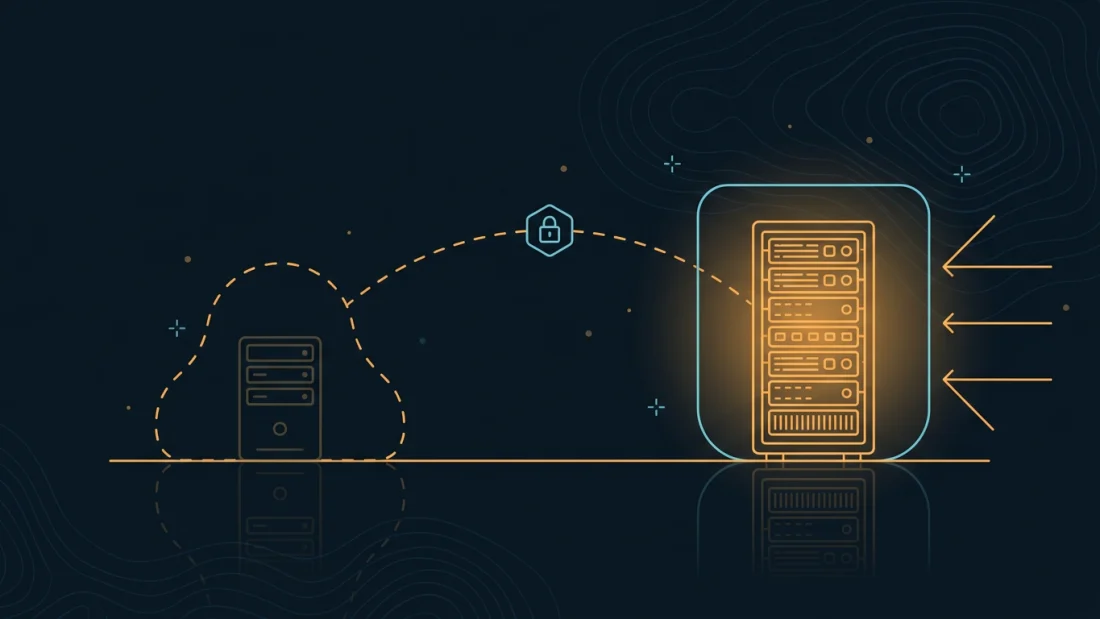
What hiding the origin actually buys you
Three things, and they are worth being precise about. First, the flood stops arriving at the machine that cannot absorb it: a single VPS has a finite uplink, and when the address that eats packets is a purpose-built edge instead of the box holding your database, a volumetric attack becomes somebody else's engineering problem. Second, the application stops being reachable around its own defences — rate limits, bot rules, a WAF and geo-blocking are all trivially bypassed by anyone who can connect straight to the origin, and most people who deploy them never check whether that is still possible. Third, the address serving your content stops being the address holding your data, which is the separation that makes an abuse complaint, a scan, or a targeted probe land somewhere cheap and replaceable.
And now the honest half. Hiding an origin is not anonymity — it hides an address, not a person, and the payment trail, the domain registration and the account behind them are a separate problem that has its own guide. It does not patch your application: an origin nobody can find is still exploitable the moment somebody finds it, and origins do get found. It does not hide anything from your provider, who by definition knows which machine answers on which address. Treat it as one layer that raises the cost of an attack, sitting on top of a box that was properly hardened first — not as a substitute for either.
SP·02Every way an origin IP leaks
The reason so many hidden origins are not hidden is that people close one channel and assume the rest followed. They do not. Here is the list we work through, in rough order of how often it is the one that actually burned somebody:
- Historical DNS. Passive-DNS collectors have been recording your A record since long before you moved behind a proxy. The address you used last year is a permanent, searchable, free lookup.
- Certificate transparency. Every publicly trusted certificate is published to append-only public logs, with every hostname it covers. A cert issued for
origin.example.comannounces that name to the world, and its A record does the rest. - Subdomains that never moved.
mail,ftp,webmail,cpanel,dev,staging,vpn,monitor— the apex went behind the CDN and these stayed pointed at the box. - Mail. An MX record on the origin gives the address away directly; so does a
Received:header in a mail your application sent, which anybody can trigger with a password-reset form. - Outbound requests. Webhooks, avatar fetches, RSS pulls, link previews, update checks, OAuth callbacks. Each one reveals the origin's address to whoever operates the far end — and a URL-preview feature lets an attacker choose that far end.
- Answering on the bare address. If the origin still serves your site to a request with no matching
Hostheader, internet-wide scanners have already indexed it: favicon hash, page title, certificate fingerprint and HTTP header order are all searchable. - The IPv6 record you forgot. The A record moved to the proxy; the AAAA record still points home.
- The application talking about itself. Absolute URLs in a CMS config, redirects to an internal hostname, stack traces,
Serverbanners, source maps, an unauthenticated status endpoint.
Note what most of these have in common: they are permanent. Certificate logs are append-only and passive DNS is an archive. You cannot retract an address once it is published — you can only stop using it, which is exactly why the order of operations below matters.
SP·03Two shapes of edge: a CDN, or a box you own
A commercial CDN gives you anycast capacity no single server can match, in dozens of cities, often on a free tier. The trade is that TLS terminates on infrastructure you do not control: the operator sees your plaintext, knows which account it belongs to, and can be compelled to act on that knowledge or simply decide one morning that your content is not welcome. There is also a subtler problem specific to shared fronts — if your origin firewall allows the CDN's published address ranges, then anyone else with an account on that CDN is inside your allowlist and can point their own hostname at your origin. That is a real bypass, not a theoretical one, and it is why authenticated origin pull exists.
An edge you run yourself is the opposite trade. Nobody but you holds the private key, the box sits in a jurisdiction you chose deliberately, and it costs $8.00/mo for the smallest plan — genuinely a rounding error next to what it protects. What you do not get is anycast: a 200 Gbps flood will saturate the edge's uplink no matter how elegant your nginx config, so network-level absorption has to come from somewhere. In our case that is the 1.5 Tbps of upstream mitigation in front of every machine in the fleet, which is what makes a self-run edge viable rather than a single point of collapse. The two shapes also compose: CDN in front for reach and volume, your own node behind it for the part you refuse to hand over. Pick based on which failure you would rather explain.
SP·04The tunnel is the part people get wrong
The common setup is an origin that listens on 0.0.0.0:443 with a firewall allowlisting the proxy's addresses. It works, and it is the weakest link in the design. Allowlists drift — published ranges change and the update never gets applied; they are shared, so on a public CDN they admit every other customer; and they fail open in the direction that matters, because the origin is still a live public listener the whole time, waiting for one misconfiguration or one ufw disable during a debugging session.
The version that holds inverts it: the origin has no public listener at all. A WireGuard tunnel is established between edge and origin, the web server binds to the tunnel address only, and the public interface has a default-deny policy on both IP families with no exception for 80 or 443. Then reachability is not a rule anyone can forget to renew — it is the absence of a route. WireGuard is the right tool here because it is a kernel module with a tiny attack surface, it is silent to unauthenticated scanners (an unauthenticated packet gets no reply at all, so the UDP port does not even appear to exist), and it costs single-digit microseconds per packet. If you have not set one up before, the WireGuard guide covers the fundamentals; here we only need a two-peer point-to-point link.
One rule before you start, and it is the one that saves your afternoon: keep a second SSH session open the whole time. Locking SSH behind a tunnel you are still reconfiguring is how people lose a machine, and on a host with no identity on file there is no support ladder to climb and no console session anyone can grant you — the way back in is a redeploy and a restore, which is quick if your backups are current and final if they are not.
SP·05Certificates, and the log that publishes your hostnames
Certificate transparency is a genuinely good thing that will happily undo your week. Every certificate a public CA issues is submitted to append-only logs anyone can search, and the entry contains every name in the certificate. Issue one for origin.example.com or direct.example.com and you have published, permanently and in a structured format, the exact hostname you were trying not to advertise. Worse, the habit of putting staging and admin hostnames into the same SAN list turns one careless renewal into a map of your infrastructure.
The discipline is simple. Public certificates live on the edge only, covering only the names the public actually uses. The origin gets a self-signed certificate or one from a small private CA, pinned in the proxy configuration with proxy_ssl_trusted_certificate — nothing on a link that only your own proxy speaks needs to be publicly trusted, and issuing a public cert for it buys you nothing but an entry in a log. If you need many public subdomains, a wildcard publishes one name instead of thirty. And switch ACME to the DNS-01 challenge: HTTP-01 requires something to answer on port 80 for the hostname being validated, which is precisely the public listener you just removed. Finally, accept the asymmetry — logs are append-only, so a hostname you already published cannot be withdrawn. If it resolved to the origin, the origin needs a new address.
Mail, and the other services answering on the wrong address
Mail is the classic bypass because it has to be reachable by definition. If the MX record for your domain points at the origin, the exercise is over before it started — the record is public and one dig ends the hunt. Even with MX elsewhere, an application that sends mail directly from the origin stamps the sending host's address into the Received: chain of every message, and any form that mails a user on demand turns that into a self-service lookup. The fix is to make the origin a client and never a server: relay outbound mail through a submission service or a separate box, keep MX on a machine that is allowed to be found, and read the full headers of a test message before you call it done. Running your own mail at scale is a project in itself, and it does not belong on the machine you are hiding.
Then do a sweep for everything else that is quietly listening. Monitoring agents, container dashboards, database ports opened "temporarily", a metrics endpoint on 9100, a control panel on a high port, an SSH daemon on the public interface. Every one of them is a service that answers on the address you are trying to keep private, and scanners find high ports as easily as low ones. The audit is one command — ss -tulpn — and the correct output is a list where nothing is bound to a public address. Step three below is what makes that true and keeps it true.
Egress: the connections your origin starts
An origin that accepts nothing can still betray itself, because it does not only receive connections — it opens them. Package mirrors, NTP, a webhook to a payment processor, a bot API, an image fetched for a link preview, a licence check, an outbound SMTP session, a Git remote, an error reporter. To the far end of each of those, the origin's public address is simply the source address of the connection. Most of the time this is harmless, because you chose the far end and you trust it. The problem is the handful of endpoints an attacker chooses: paste a link into anything that renders a preview, register a webhook, or find a server-side request forgery in an image importer, and the origin resolves and connects to a host the attacker is watching. That is a two-minute deanonymisation with no exploit involved.
There are two defensible answers. The strict one routes all egress over the tunnel and lets the edge NAT it, so the origin's outbound source address is the edge's — one setting in the peer config, plus forwarding and a masquerade rule at the other end. wg-quick handles the routing loop for you: with a 0.0.0.0/0 route it installs an fwmark rule so the tunnel's own packets still reach the endpoint directly, which is the part people break when they write the routes by hand. The pragmatic answer keeps direct egress for traffic you control and puts a proxy in front of anything that fetches a user-supplied URL. What is not defensible is not knowing which of the two you have. Decide it deliberately, then verify it with a request to a host you own and a look at the source address in its logs.
What it costs, and how to prove it works
The budget line is one extra VPS. The smallest plan at $8.00/mo terminates TLS and proxies for a small site without noticing the load — a reverse proxy is mostly a socket copy, and 2 vCPU with 4 GB of RAM is comfortable well past the point where the origin behind it becomes the bottleneck. Put it in a different region from the origin so a single legal instrument or a single facility problem does not reach both, and remember the latency: an extra hop adds real milliseconds, so an edge in Amsterdam in front of an origin in Kuala Lumpur is a design decision, not an accident. Pairs inside the same continent typically cost single-digit milliseconds, and the TLS session reuse you gain at the edge often pays that back on a real page load.
Proving it works is the part that separates a configuration from a control, and it is a recurring job rather than a one-off — every new subdomain, every new certificate, every new integration is a fresh chance to republish the address. The battery in step seven takes about ten minutes: try to reach your site directly on the origin address, list every hostname you ever certified, walk the obvious subdomain names, check the AAAA record you forgot, and send yourself a mail. Run it after every infrastructure change. And keep the conclusion in mind while you do: if the origin answers, the correct fix is not another firewall rule — it is a new address, because the old one is already in somebody's archive. In the stack, this layer sits after hardening and alongside off-site backups: hardening decides how hard the box is to break, backups decide how fast you recover, and this decides how hard the box is to find in the first place.
SP·09Step by step
-
01
Deploy the edge and give it exactly one job
Deploy a second VPS in a region that is not where the origin lives, and treat it as a single-purpose appliance: TLS termination, a reverse proxy, and nothing else. No database, no application code, no shell scripts anyone would miss. Run the first-hour checklist on it — key-only SSH, default-deny firewall on both IP families, unattended security updates — then open exactly three ports.
ssh root@198.51.100.20
apt update && apt full-upgrade -y
hostnamectl set-hostname edge-01
apt install -y nginx wireguard-tools ufw unattended-upgrades

ufw default deny incoming && ufw default allow outgoing
ufw limit 22/tcp
ufw allow 80,443/tcp
ufw allow 51820/udp
ufw --force enable
-
02
Bring the tunnel up before you touch DNS
Two peers, one link. Generate a keypair on each machine and give the tunnel its own small subnet — the origin will end up reachable at
10.66.0.2and nowhere else. The origin dials out to the edge (it is the side that will have no open ports), so it carries theEndpointand a keepalive; the edge only listens.# on both machines umask 077; wg genkey | tee privkey | wg pubkey > pubkey # edge-01 — /etc/wireguard/wg0.conf [Interface] Address = 10.66.0.1/24 ListenPort = 51820 PrivateKey = <edge-privkey> [Peer] PublicKey = <origin-pubkey> AllowedIPs = 10.66.0.2/32 # origin-01 — /etc/wireguard/wg0.conf [Interface] Address = 10.66.0.2/24 PrivateKey = <origin-privkey> [Peer] PublicKey = <edge-pubkey> Endpoint = 198.51.100.20:51820 AllowedIPs = 10.66.0.1/32 PersistentKeepalive = 25
Enable it at both ends and confirm the handshake before going any further — a tunnel that only works until the next reboot is worse than none.
systemctl enable --now wg-quick@wg0
wg show          # expect a recent handshake and non-zero transfer
ping -c3 10.66.0.1   # from the origin
-
03
Make the origin unreachable from the public internet
This is the step that does the actual work, and the one where people lock themselves out. Open a second SSH session and leave it connected before you run anything below — there is no support console to fall back on here. Then bind the web server to the tunnel address, drop everything on the public interface, and allow only the tunnel plus the WireGuard endpoint itself.
# /etc/nginx/sites-available/app  — listen on the tunnel only
listen 10.66.0.2:8080;

ufw --force reset
ufw default deny incoming
ufw default allow outgoing
ufw allow in on wg0 to any port 8080 proto tcp
ufw allow in on wg0 to any port 22 proto tcp
ufw allow from 198.51.100.20 to any port 51820 proto udp
ufw --force enable

# the audit: nothing may be bound to a public address
ss -tulpn | grep -Ev '10\.66\.0\.2|127\.0\.0|\[::1\]'
If that last command prints a service, it is a leak — fix the bind address rather than adding a firewall rule around it. Two listeners are allowed to survive: WireGuard on 51820, and sshd if you have not yet moved it onto the tunnel.
-
04
Terminate TLS at the edge and proxy over the tunnel
Issue the public certificate on the edge, for the names the public actually uses, and proxy upstream to the tunnel address. The second server block is not optional decoration: it is what stops the edge from serving your site to a scanner that connects by IP with no
Hostheader, which is how the front door gets fingerprinted.# edge-01 — /etc/nginx/sites-available/example.com server { listen 443 ssl; http2 on; server_name example.com www.example.com; ssl_certificate /etc/letsencrypt/live/example.com/fullchain.pem; ssl_certificate_key /etc/letsencrypt/live/example.com/privkey.pem; add_header Strict-Transport-Security "max-age=63072000" always; location / { proxy_pass http://10.66.0.2:8080; proxy_set_header Host $host; proxy_set_header X-Real-IP $remote_addr; proxy_set_header X-Forwarded-For $proxy_add_x_forwarded_for; proxy_set_header X-Forwarded-Proto $scheme; proxy_http_version 1.1; } } # anything that is not a known hostname gets nothing at all server { listen 80 default_server; listen 443 ssl default_server; ssl_reject_handshake on; return 444; } -
05
Give the origin back the real client IP
Behind a proxy, every request arrives from
10.66.0.1. Left alone, your access logs become useless, per-IP rate limiting throttles the tunnel instead of the attacker, andfail2baneventually bans the edge and takes the site down — a genuinely popular way to cause an outage while hardening. Trust the forwarded header, but only from the tunnel address, never from the world.# origin-01 — /etc/nginx/conf.d/realip.conf set_real_ip_from 10.66.0.1; real_ip_header X-Forwarded-For; real_ip_recursive off;
Do the equivalent in the application —
ProxyFixin Flask,TRUSTED_PROXIESin Laravel,set_real_ip_fromplus the framework's own trusted-proxy list — and put the rate limiting on the edge, where the real client address exists natively:# edge-01 — /etc/nginx/nginx.conf (http block) limit_req_zone $binary_remote_addr zone=front:10m rate=20r/s; # then, inside the location block limit_req zone=front burst=40 nodelay;
-
06
Move mail and egress off the origin address
Point MX at a machine that is allowed to be found, send outbound mail through a relay rather than straight from the origin, and switch certificate renewal to the DNS-01 challenge so nothing has to answer on port 80. Then decide what happens to the rest of the outbound traffic. To route all of it through the edge, widen the origin's
AllowedIPsand let the edge masquerade —wg-quickinstalls the fwmark rule that keeps the tunnel itself reachable, so you do not need to hand-write a route for the endpoint.# origin-01 — /etc/wireguard/wg0.conf, in [Peer] AllowedIPs = 0.0.0.0/0, ::/0 # edge-01 — forward and NAT the tunnel echo 'net.ipv4.ip_forward=1' > /etc/sysctl.d/99-fwd.conf && sysctl --system ufw route allow in on wg0 out on eth0 # in /etc/ufw/before.rules, above the *filter block: # *nat # :POSTROUTING ACCEPT [0:0] # -A POSTROUTING -s 10.66.0.0/24 -o eth0 -j MASQUERADE # COMMIT systemctl restart ufw && wg-quick down wg0 && wg-quick up wg0
Then check it from the origin:
curl -s https://ifconfig.comust return the edge's address, not its own. -
07
Hunt for your own origin, then write the runbook
Attack it the way somebody else would. The first command is the important one — if the origin still serves your site when addressed directly, nothing above is working yet.
# does the origin answer for your hostname?
curl -sk --resolve example.com:443:203.0.113.10 https://example.com/ \
     -o /dev/null -w '%{http_code}\n'      # want: a timeout, not 200

# every hostname you have ever certified, from the public logs
curl -s 'https://crt.sh/?q=%25.example.com&output=json' \
  | grep -o '"name_value":"[^"]*"' | sort -u

# records that never moved
dig +short example.com A; dig +short example.com AAAA; dig +short example.com MX
for h in www mail ftp webmail cpanel dev staging vpn monitor origin direct; do
  printf '%-9s %s\n' "$h" "$(dig +short $h.example.com | tr '\n' ' ')"
done
Then send yourself a mail from the application and read the full
Received:chain, and paste a link to a host you control into any feature that renders previews and check which address fetched it. Write down what a correct result looks like for each check, and rerun the lot after every DNS change, every new certificate and every new integration. If any of them turns up the origin, rebuild it on a fresh address — the published one is already archived, and no firewall rule will take it back.